During my daily work , I got some data from client in Excel sheet and I need to work with that data.
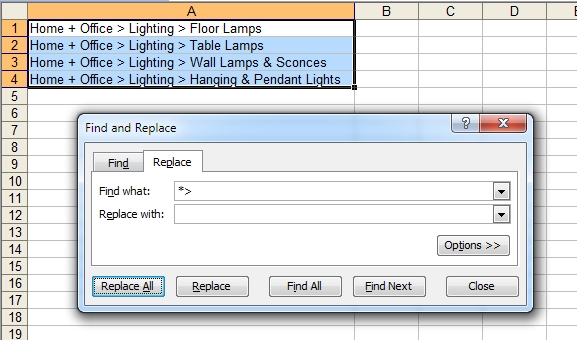
My requirement was like I need to remove all the data before specific character for all the rows in the sheet.
I try to google for any specific formula ,and I found one very good link that matches exactly to my requirement and thought to share the same with you.
hers the link http://www.asap-utilities.com/blog/index.php/2011/10/14/how-do-i-remove-all-text-beforeafter-a-specific-character/.
what all we need to do is select all the rows where you want to remove the text and replace it with space :)
Its so simple :)
Hope you like it..
Enjoy the day with lots of smile and happiness..

No comments:
Post a Comment